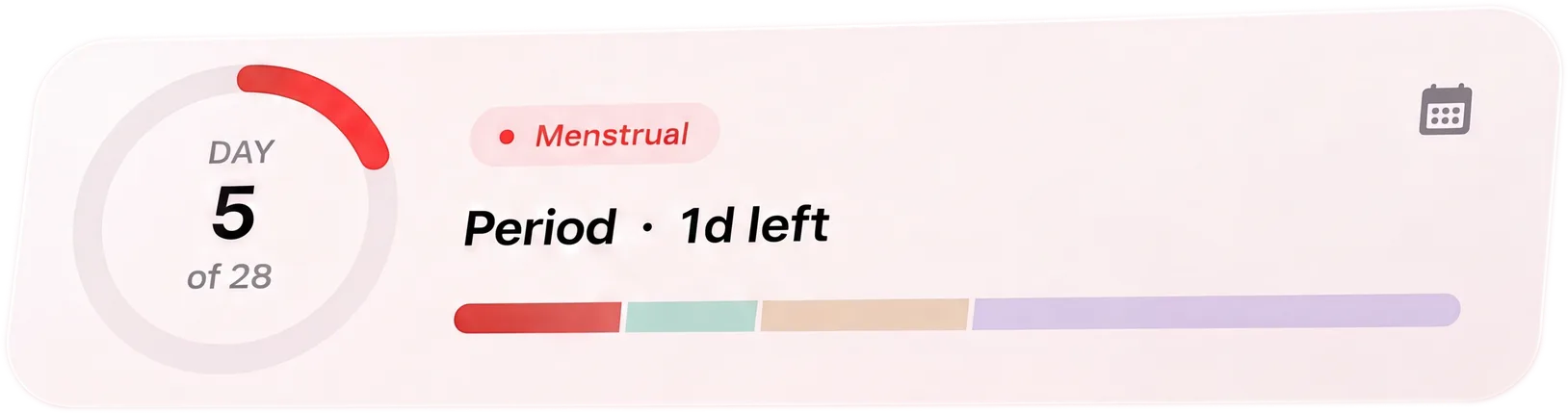
What stays visible
The tracker keeps the period and symptom work front and center. You can log what happened without moving through fertility-first screens.
- Period start and end dates
- Flow, pain, symptoms, and notes
- Range-based next period estimates
- Doctor-ready report from logged history
What the no-fertility setup must prove
The current BaeMax FAQ says fertility-related estimates appear only when fertility content is visible. That is evidence of a visibility distinction, not proof that every fertility or pregnancy surface starts hidden. Check the installed beta rather than assuming the default.
- No ovulation card after you choose the non-fertility view
- No pregnancy prompt on the home screen or calendar
- No trying-to-conceive framing in ordinary period logging
- No contraceptive claims
What your partner sees
BaeMax documents category-based partner sharing, but the public FAQ does not list every fertility field in the supporter view. Use a harmless entry to inspect the receiving phone before sharing real cycle history.
- Use the tracker solo if you want
- Share period or symptom context only if useful
- Confirm fertility and pregnancy details are absent from the test view
- Repeat the check after any sharing-setting change
Best fit
BaeMax may fit if you want detailed logging with range-based period estimates and a no-fertility-focus mode rather than a fertility-first tracker.
- BaeMax is in private beta on Android, with iOS in development.
- Record stored on your phone
- structured daily-log fields
- Not diagnosis, contraception, or fertility treatment
Run a no-fertility acceptance test
Before adding your history, check every place where fertility framing could return. Use the current visibility control, then inspect the home screen, calendar, notification settings, report, and any supporter view. Log a period date and one symptom to confirm that estimates and ordinary tracking still work. Reopen the app after changing another setting, and repeat the check after an update or reinstall because defaults can change between versions. If an ovulation card, fertile-window label, pregnancy prompt, or partner-visible fertility field appears after you chose the non-fertility view, treat that as a failed requirement rather than something to dismiss each day.
- Test with a harmless entry before adding history
- Check notifications and reports, not only the home screen
- Confirm period estimates still work with fertility content hidden
- Stop using the setup if the unwanted content cannot remain off
Check language as well as feature switches
A fertility toggle is incomplete if ordinary screens still describe every cycle through conception. Read reminder text, calendar labels, onboarding choices, educational links, empty states, and exported reports. Period tracking should remain usable for people who are not trying to conceive, are infertile, use testosterone, are recovering from loss, do not have sex that can cause pregnancy, or simply do not want that framing. A neutral record can still include fertility fields when someone deliberately enables them; the point is that they should not define the default experience.
- Search settings and reports for fertile window, ovulation, pregnancy chance, and trying-to-conceive language.
- Confirm that hiding fertility content does not erase logged bleeding or symptom history.
- Check partner notifications for the same boundary.
- Treat any prediction as an estimate, never contraception.