Problem, solved

A period tracker with hidden notification previews

New installs hide notification details with wording such as 'Open BaeMax for your update.' Local reminders stay on the phone; Android controls the final display.

By BaeMax LovePublished Reviewed How we compare
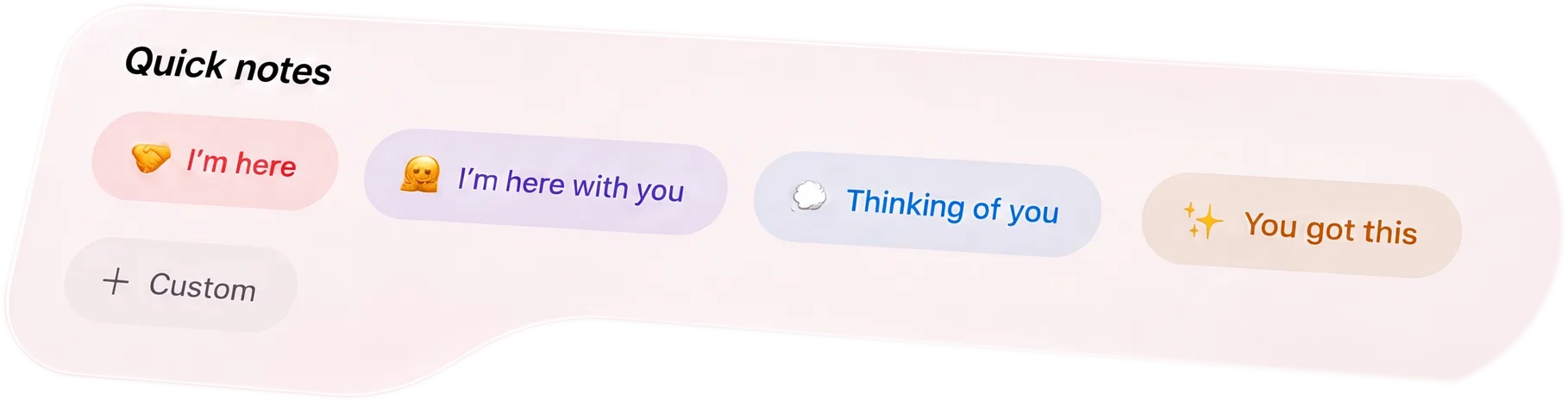
BaeMax Quick notes buttons for I'm here, I'm here with you, Thinking of you, You got this, and Custom
Short answer

BaeMax's privacy policy says new installs hide notification details and use wording such as 'Open BaeMax for your update.' Turning detail hiding off may put partner names, event types, or message hints in push text. Phone-generated reminders stay on the device. The privacy architecture lists discreet wording, quiet hours, and disabling notifications as controls, but Android and connected devices still determine the final presentation.

Practical guide

Make reminders useful without making the lock screen awkward

A reminder can help you remember something private without announcing that private thing to whoever is near your phone.

Default wording matters

BaeMax's privacy policy gives one documented example for new installs: 'Open BaeMax for your update.' Existing beta users are told to check Settings, Notifications, then Hide notification details.

  • Documented hidden-detail example: Open BaeMax for your update
  • Detail hiding is the documented new-install default
  • Turning detail hiding off may expose partner names or event types
  • Android lock-screen privacy settings still apply

The trade-off

Hidden detail protects privacy by removing specific context from push text. Turning it off can make an alert easier to identify, but the privacy policy says partner names, event types, or message hints may then appear.

  • Use discreet wording around shared spaces
  • Use detailed wording only if the extra clarity is worth it
  • Keep Android lock-screen preview settings aligned with the choice
  • Mute alerts or use quiet hours when no reminder should appear

Control noise

Privacy is not only about wording. BaeMax's privacy and architecture pages document mute, detail, quiet-hour, and disable controls, but the installed settings should be checked for their current category scope.

  • Mute alerts when needed
  • Use quiet hours
  • Keep personal scheduled reminders local
  • Choose which notifications are worth having

What this does not solve

Hidden previews reduce casual exposure. They do not make a shared phone private or remove the need for Android notification settings.

  • Someone with device access may still see app contents
  • System notification settings still matter
  • No lock-screen setup is risk-free
  • Use app lock for another layer

Test every notification surface

Create a harmless local reminder and a harmless partner update, then inspect each while the phone is locked and unlocked. Check banners, grouped alerts, notification history, and any watch, vehicle display, or other device to which Android forwards notifications. A generic lock-screen line can still appear differently elsewhere. Review Android notification channels as well as the in-app detail setting, because the operating system makes the final display decision. Clear the tests and repeat after an app or Android update. If the app name itself would reveal too much, disable or mute that alert path rather than relying on wording alone.

  • Use invented test content rather than a real health entry
  • Inspect locked, unlocked, grouped, and historical alerts
  • Check connected displays only if the phone forwards alerts to them
  • Mute a category when even a discreet preview is too revealing

Separate local reminders from partner-delivered alerts

A reminder generated on the phone and a push notification sent because a partner shared something can travel through different systems. Test both. Local reminders may stay on the device, while push providers necessarily process delivery metadata and may process the notification text described in the privacy notice. Use generic wording for any alert that crosses a provider path. For details that should not appear outside the app, let the notification say only that an update is waiting and require the app lock before reading it.

  • Check which categories can be disabled independently.
  • Avoid putting cycle dates, symptom names, or relationship conflict in notification text.
  • Review notification history after dismissing an alert.
  • Use direct emergency communication rather than depending on a muted or delayed push.

What hidden means here

The notification uses discreet wording instead of exposing a partner name, event type, message detail, or sensitive health context. It does not mean Android stops showing that BaeMax sent an alert at all.

Reminders without sharing

The privacy policy says phone-generated reminders stay on the device. If the current beta offers the sensitive-health reminder you need, test it with neutral wording and inspect the supporter view rather than assuming every reminder type follows the same visible workflow.

You can choose more detail

Some people want useful context in the preview and accept the tradeoff. Detailed wording is a choice you make, and quiet hours or mute-all controls are there when no alert should appear.

Key facts
Default wording
Discreet on new installs
Detailed previews
May include partner names, event types, or message hints when detail hiding is turned off
Local reminders
Scheduled personal reminder content stays on the device
Alert controls
Mute, detail, quiet-hour, and disable controls are documented; verify current category scope
Platform
Android private beta now. iPhone version in development.
Limit
Notification delivery still depends on Android settings and device behavior

Common questions

how do i stop my period app putting 'your period is due' on my lock screen?
Keep Hide notification details on. BaeMax documents 'Open BaeMax for your update' as an example for new installs. Also check Android's lock-screen notification settings because the operating system has final display control.
will it still show the app name even if the health details are hidden?
It may. Discreet wording hides sensitive content, not necessarily the fact that BaeMax sent a notification. Android and device settings control parts of the final lock-screen presentation.
are reminders automatically sent to my partner too?
BaeMax's privacy policy says reminders generated by the phone stay on the device and do not use the server. Test a harmless reminder and inspect the supporter view before relying on that boundary for sensitive content.
can i hide alerts at night but keep my own morning reminder?
BaeMax documents quiet-hour and notification-disable controls, but the public pages do not promise how every alert category interacts with them. Test one local reminder and one partner update during the quiet window.
does this work on samsung and pixel the same way?
The app uses the same discreet wording, but exact lock-screen behavior can vary with Android version and manufacturer settings. Test it on your own device before relying on a particular preview layout.
is there an ios version with hidden previews?
Not yet. BaeMax has Android private beta access today, with iOS still in development.

Turn the signal into something useful

Use BaeMax when a partner needs a clearer check-in, a short note, or one practical task instead of another long conversation.

Android private beta. The iPhone version is in development.